Published on July 20, 2026 | Written by Cyfra Dane Data Engineering Team
Direct answer: Migrating a legacy data warehouse to Databricks is a six-phase data migration process: (1) inventory and assess your current warehouse, (2) design a medallion (Bronze/Silver/Gold) target architecture, (3) migrate schema and data using tools like Lakeflow Connect or CONVERT TO DELTA, (4) rebuild governance in Unity Catalog, (5) validate and optimize performance, then (6) cut over and monitor. Most enterprises complete this in 3–9 months depending on data volume and SQL complexity.
Last updated: July 2026. Migration tooling and Databricks platform capabilities referenced below reflect the current 2026 release.
Data warehouse to Databricks migration is the process of moving tables, schemas, ETL pipelines, and dashboards from a legacy or cloud data warehouse (such as Teradata, Oracle, Netezza, Synapse, or Redshift) onto the Databricks Data Intelligence Platform, which unifies data engineering, analytics, and AI on a single Delta Lake and Unity Catalog foundation.
This is a database migration in the technical sense — moving structured data between storage systems — but it is also an architectural shift. Databricks itself frames this correctly: the goal isn't to eliminate data warehousing, it's to unify the data ecosystem so analysts, data scientists, and engineers query the same governed tables instead of maintaining separate copies in separate systems.
A few structural differences matter immediately when planning your data migration strategy:
| Legacy Data Warehouse | Databricks Lakehouse |
|---|---|
| Proprietary storage format | Open Delta Lake (Parquet + transaction log) |
| Fixed compute clusters | Serverless / Photon-accelerated, elastic compute |
| Separate BI, ML, and streaming stacks | Unified platform for SQL, ML, and streaming |
| Manual access control per system | Centralized governance via Unity Catalog |
| Batch-first | Batch and real-time (Zerobus Ingest, Lakeflow) |
Three forces are driving the current wave of data warehouse modernization: falling cloud storage costs, production-grade maturity of Spark and Delta Lake, and the AI/ML build-out that traditional warehouses can't natively support. The data warehouse migration market reflects this — it's projected to grow from roughly $7.0 billion in 2025 to $8.1 billion in 2026, a 16% CAGR, driven largely by AI-driven analytics demand and automation-maturity in migration tooling.
Beyond cost and AI-readiness, most enterprises cite:
Enterprise data migration and warehouse modernization projects fail or significantly exceed budget and timeline at a rate widely reported between 70% and 83% across recent industry research. This isn't a reason to avoid migration — it's a reason to follow a structured playbook rather than a lift-and-shift.
The numbers that matter most when building your business case:
The pattern in the data is consistent: projects fail on planning and validation, not on the underlying migration technology itself.
A Databricks migration succeeds when it's run as six sequential phases: assessment, architecture design, data and schema migration, governance rebuild, validation and optimization, and phased cutover. Skipping the assessment or governance phases is the most common root cause of the failure rates cited above.
Before writing a single line of migration code, catalog what you actually have:
Databricks provides Lakebridge, a free assessment and AI-assisted SQL conversion tool for Databricks customers and partners, specifically to profile source systems (including Synapse, Teradata, and others) and surface migration risk before you commit to a timeline.
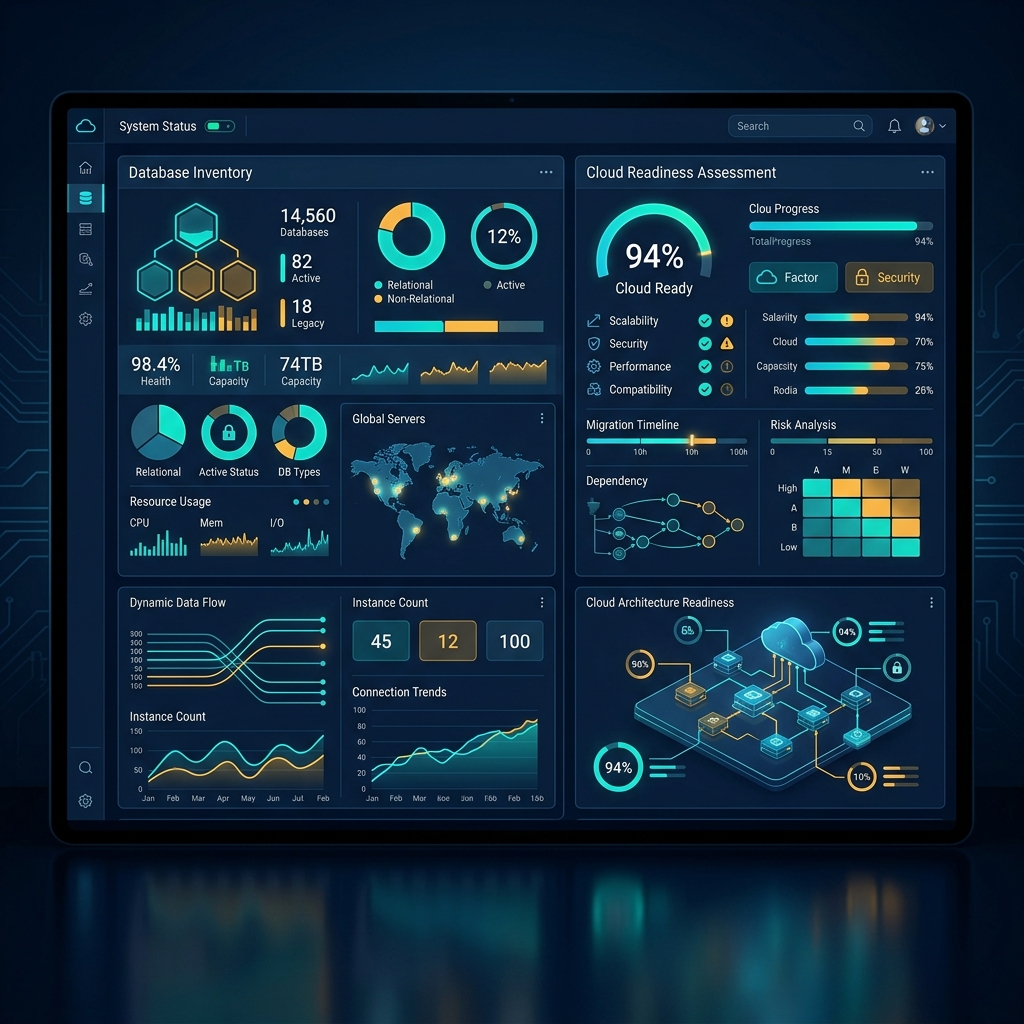
Almost every successful Databricks migration adopts the medallion architecture — Bronze (raw), Silver (cleaned/conformed), Gold (business-ready aggregates) — implemented declaratively with Delta Live Tables (Lakeflow Declarative Pipelines) so each layer is observable and self-documenting rather than a black-box batch job.
Design decisions to lock in during this phase:

This is the core data migration process, and the tool you choose depends on the source:
| Source Pattern | Recommended Tool | Notes |
|---|---|---|
| Existing Parquet data lake | CONVERT TO DELTA | In-place conversion, no data copy required |
| Bulk historical loads from a warehouse | JDBC connectors + COPY INTO | Best for one-time full-table loads |
| Ongoing incremental / CDC data | APPLY CHANGES INTO (Delta Live Tables) | Handles upserts and deletes natively in Delta format |
| 100+ SaaS and database sources | Lakeflow Connect | Managed, governed ingestion with native CDC |
| High-volume real-time events | Zerobus Ingest | Sub-5-second writes, no message bus required |
| Proprietary SQL translation (Teradata, Oracle PL/SQL) | Lakebridge / SQLGlot-based converters | Automates an estimated 60–80% of SQL translation; the remainder needs manual review |
Example: converting an existing Parquet lake in place, at the file level:
CONVERT TO DELTA parquet.`/mnt/legacy-warehouse/sales_fact`
  PARTITIONED BY (sale_date DATE);
Example: an incremental CDC merge using Delta Live Tables:
import dlt

@dlt.table
def silver_customers():
    return dlt.read_stream("bronze_customers")

dlt.apply_changes(
    target="silver_customers",
    source="bronze_customers_cdc",
    keys=["customer_id"],
    sequence_by="updated_at",
    apply_as_deletes="operation = 'DELETE'"
)Legacy warehouse access control (roles, grants, row-level security defined per-system) does not migrate automatically — it has to be rebuilt in Unity Catalog, which governs files, tables, columns, and AI models from a single control plane.
Minimum governance checklist before go-live:

Run parallel validation before decommissioning anything:
Do not switch every workload in a single event. Migrate and cut over by workload group — start with low-risk internal reporting, then move to customer-facing analytics once validation is proven. Keep the legacy warehouse in a read-only fallback state for at least one full business cycle (typically one month-end and one quarter-end close) before decommissioning it.
Native Databricks tools (Lakeflow Connect, Lakebridge, CONVERT TO DELTA, Delta Live Tables) cover the majority of standard migration scenarios and are the default starting point; third-party ETL platforms remain relevant mainly for niche source-system connectors or existing enterprise ETL investments you're not ready to retire.
| Consideration | Native Databricks Tools | Third-Party ETL Platforms |
|---|---|---|
| Cost | Lakeflow Connect Free Tier covers up to 100M records/day | Typically licensed separately |
| Governance | Native Unity Catalog integration | Often requires custom integration |
| SQL translation | Lakebridge automates 60–80% | Varies by vendor |
| Best fit | Standard warehouse, SaaS, and database sources | Legacy/niche connectors, existing ETL sunk cost |
These are the data migration challenges that most consistently derail timelines, in order of how often they appear in post-mortems:
Most enterprise migrations take 3–9 months, depending on data volume, number of source SQL dialects, and how much governance rework is required. Smaller, single-source migrations can complete in 6–8 weeks.
Not entirely. Databricks Lakehouse supports ANSI-standard SQL, and tools like Lakebridge can automate an estimated 60–80% of SQL translation from Teradata or Oracle PL/SQL — but proprietary functions typically need manual review.
Yes, and it's the recommended approach. Migrating and validating one workload group at a time — starting with low-risk internal reporting — reduces the risk profile that drives the industry's 70%+ migration failure rates.
Data migration moves data between systems (legacy warehouse to Databricks); data conversion changes the file or table format (for example, Parquet to Delta via CONVERT TO DELTA). A full warehouse migration typically involves both.
Yes, for data on Databricks. Row-level security, column masking, and audit logging need to be rebuilt in Unity Catalog rather than carried over automatically from the legacy warehouse's permission model.
Lakeflow Connect for governed ingestion from 100+ sources, Lakebridge for assessment and AI-assisted SQL conversion, CONVERT TO DELTA for in-place Parquet conversion, and Delta Live Tables' APPLY CHANGES INTO for CDC-based incremental loads.
A phased cutover is strongly recommended. Keeping the legacy warehouse in read-only fallback through at least one full month-end and quarter-end cycle catches reconciliation issues before they become compliance problems.
Planning a legacy data warehouse migration and want a second set of eyes on your assessment before you commit to a timeline?
Book a Workload Assessment with Cyfra DaneWe work independently, without a corporate agency markup, and specialize in exactly this migration path.